> ## Documentation Index
> Fetch the complete documentation index at: https://dub-partner-network.mintlify.site/llms.txt
> Use this file to discover all available pages before exploring further.
# Managing links with folders
> Learn how to organize and manage access to your links on Dub using folders.
This feature is only available on [Pro plans and
above](https://dub.co/pricing).
Folders are a great way to organize and manage access to your links on Dub.
With folders, you can:
1. **Organize links by marketing channels**. E.g. if you're using Dub for both your [affiliate program](https://dub.co/partners) and for SMS marketing, you can create folders for both so those links doesn't clutter your main links dashboard.
2. **Manage access to links across your team**. E.g. if you have marketing teams from different departments within your Dub workspace, you can create folders for each team with [role-based access controls](/help/article/folders-rbac) to ensure members can only see the links that they should have access to.
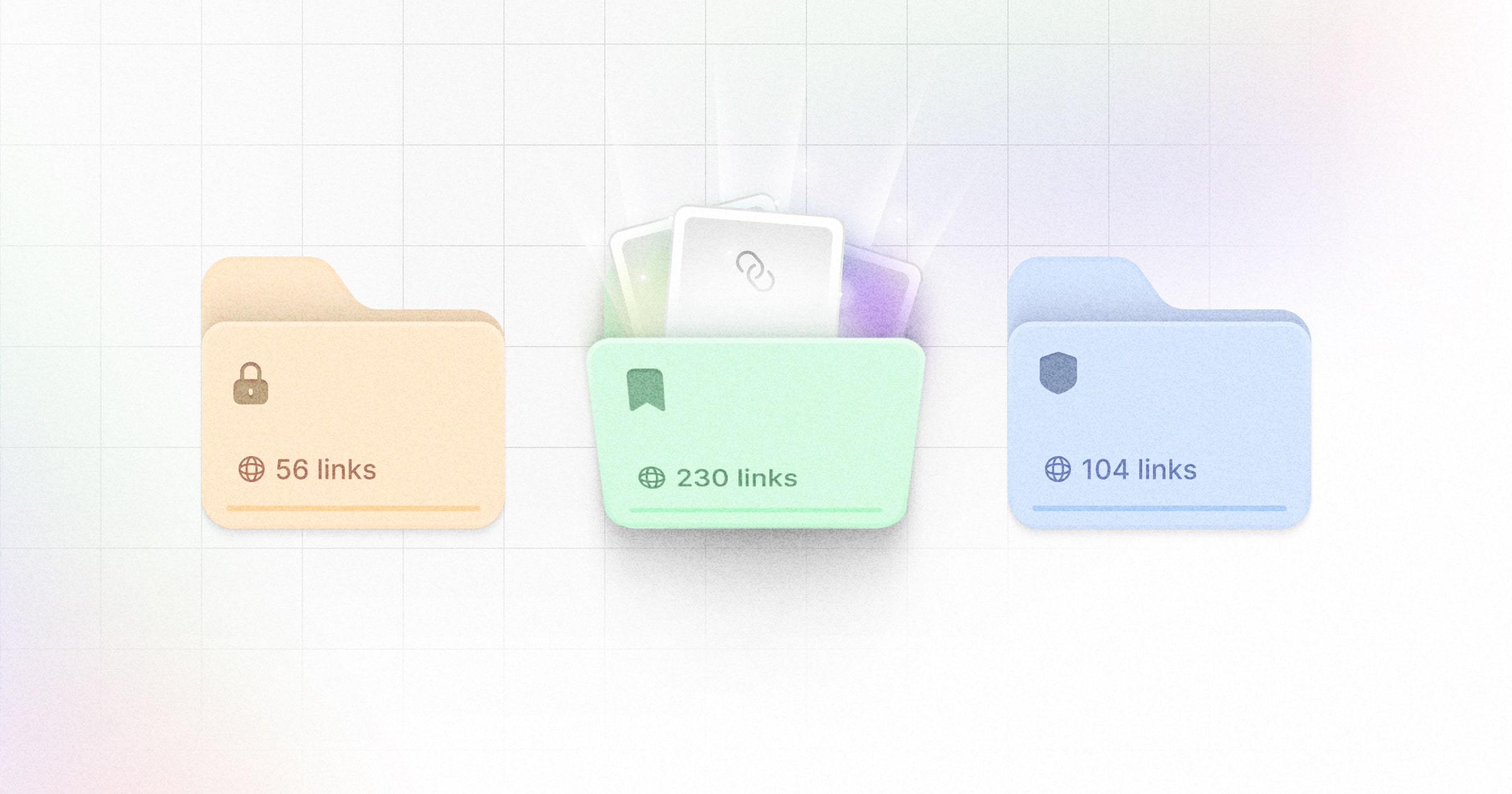 In this guide, we'll walk through how to use folders to organize and manage access to your links on Dub.
## Creating a folder
There are a few ways you can create a new folder:
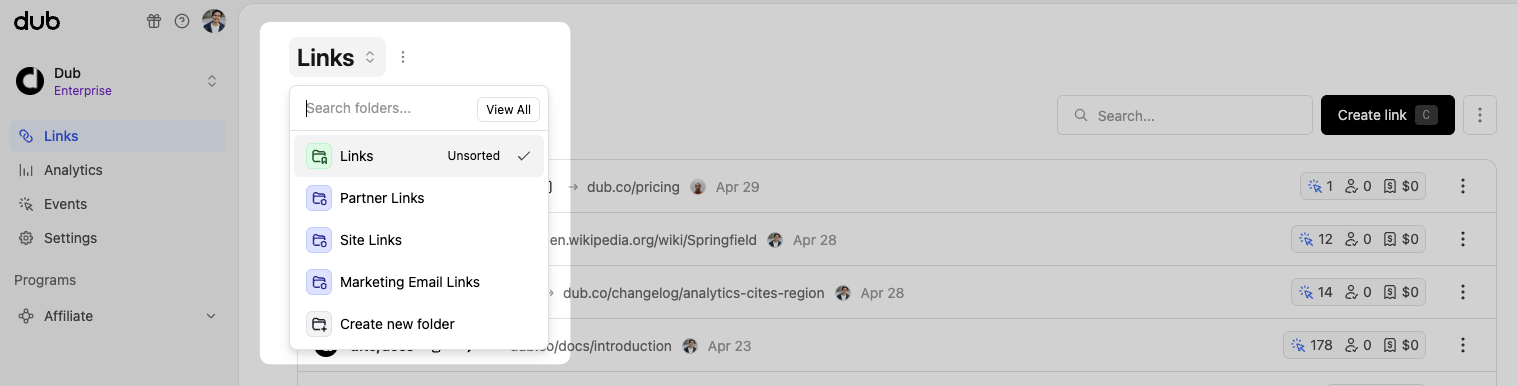
You can quickly create a new folder within your links dashboard:
In this guide, we'll walk through how to use folders to organize and manage access to your links on Dub.
## Creating a folder
There are a few ways you can create a new folder:
You can quickly create a new folder within your links dashboard:
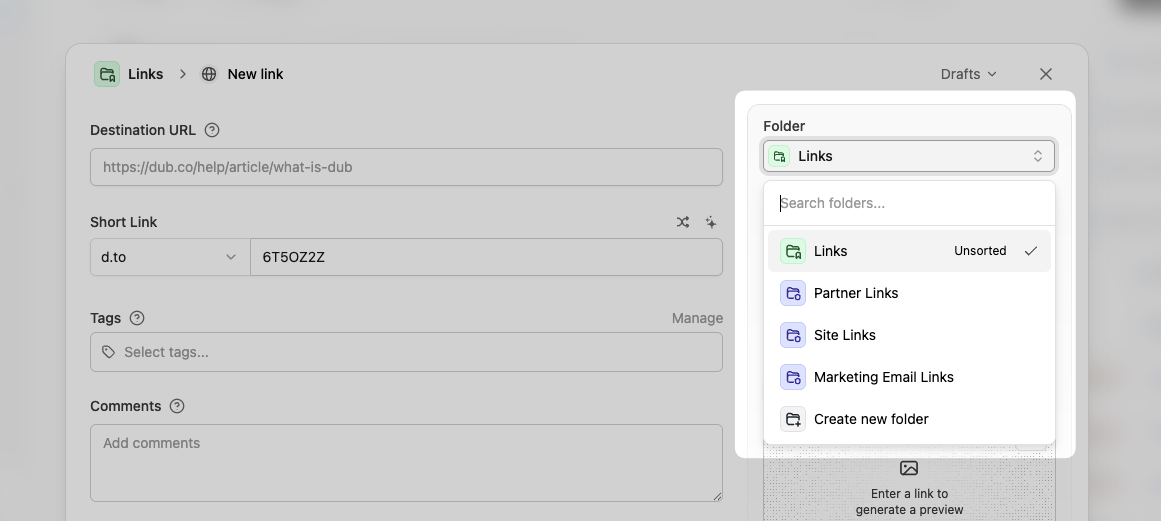
 You can also create a new folder directly inside the [link builder](/help/article/dub-link-builder):
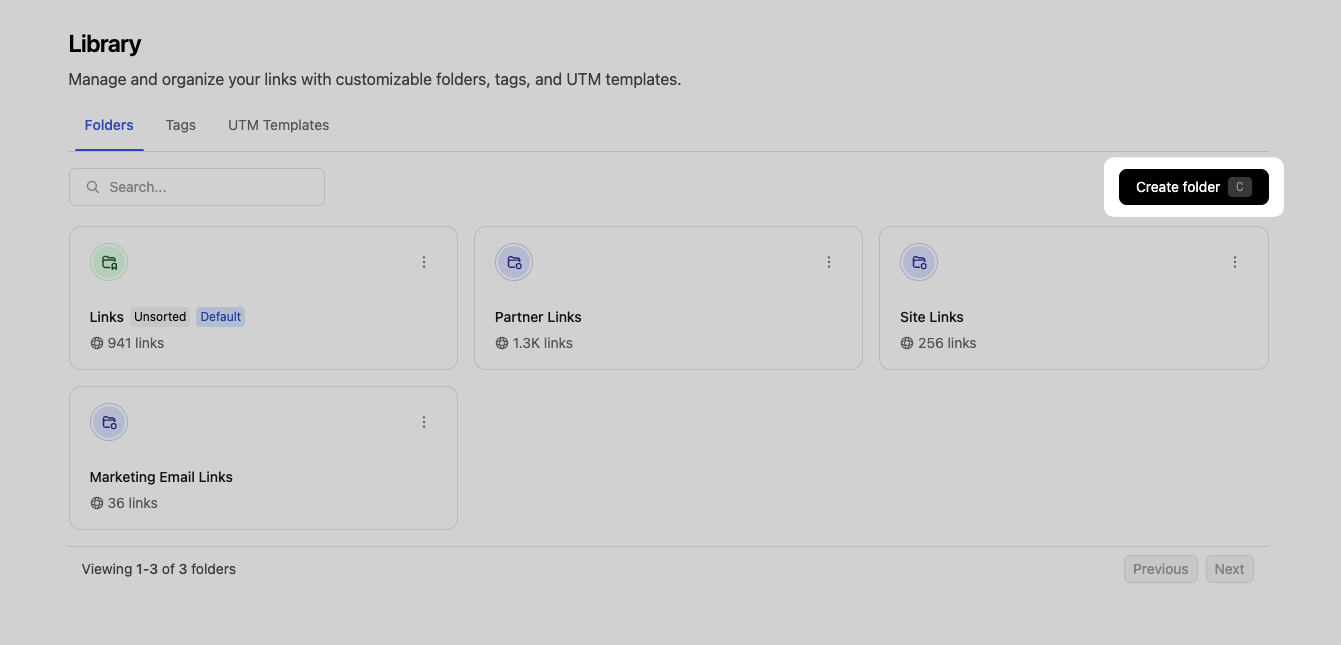
 Last but not least, you can also create a folder inside your [folder library](http://app.dub.co/settings/library/folders):
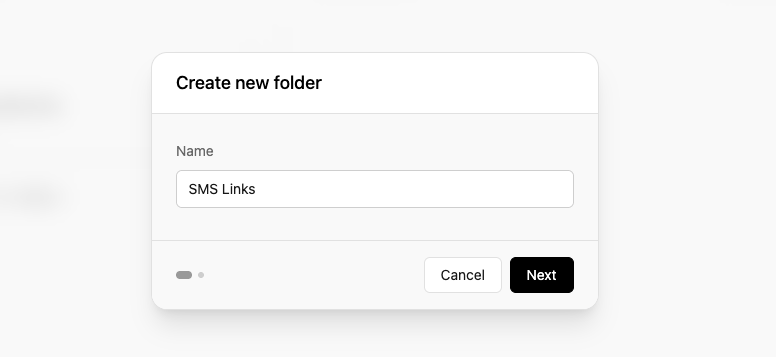
 Creating a folder is fairly simple. First, give it a name:
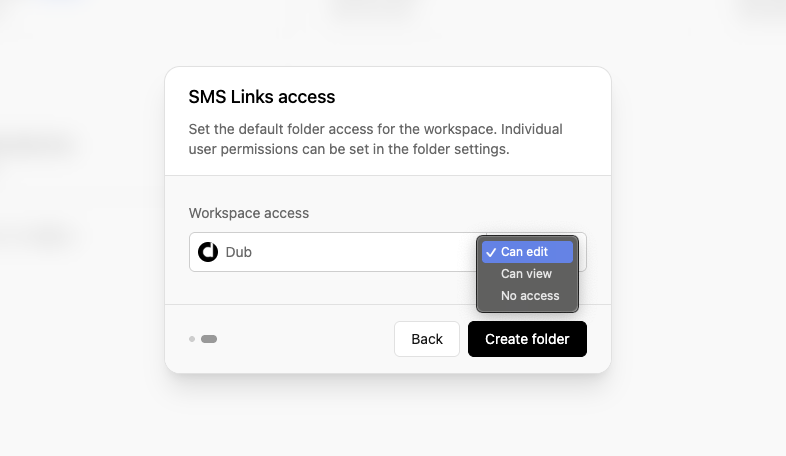
 Then, you can also choose the [workspace-level permission](/help/article/folders-rbac) for the folder:
 ## Adding links to a folder
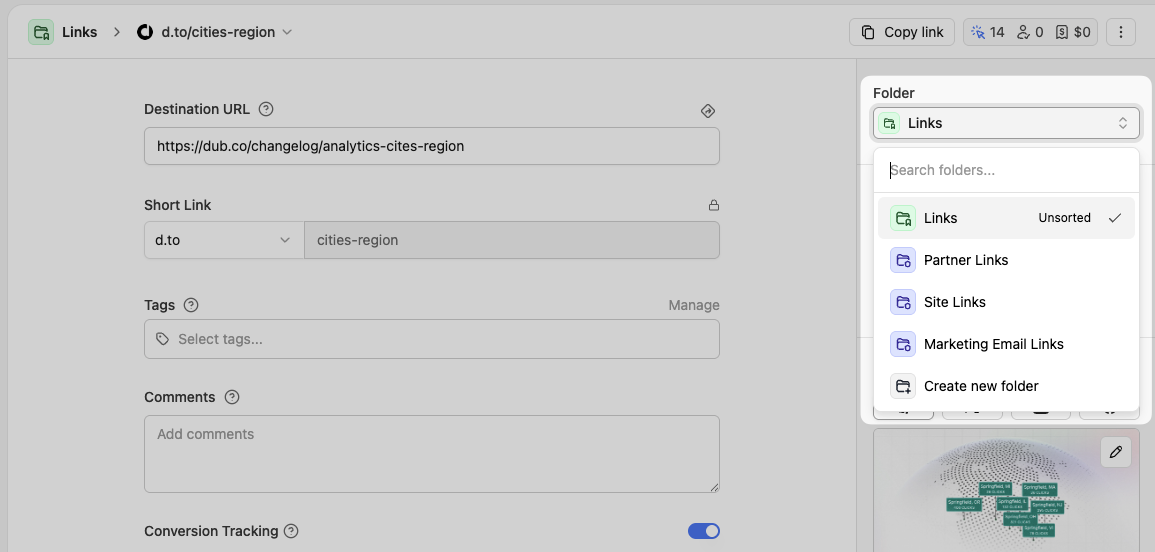
To add links to a folder, simply select the folder you want to move the link to within the [link edit page](https://dub.co/changelog/link-pages) and click "Save changes":
## Adding links to a folder
To add links to a folder, simply select the folder you want to move the link to within the [link edit page](https://dub.co/changelog/link-pages) and click "Save changes":
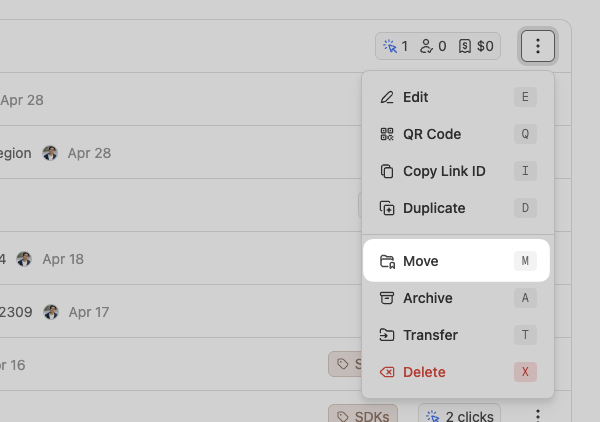
 Alternatively, you can also move a link to a folder directly within the links dashboard:
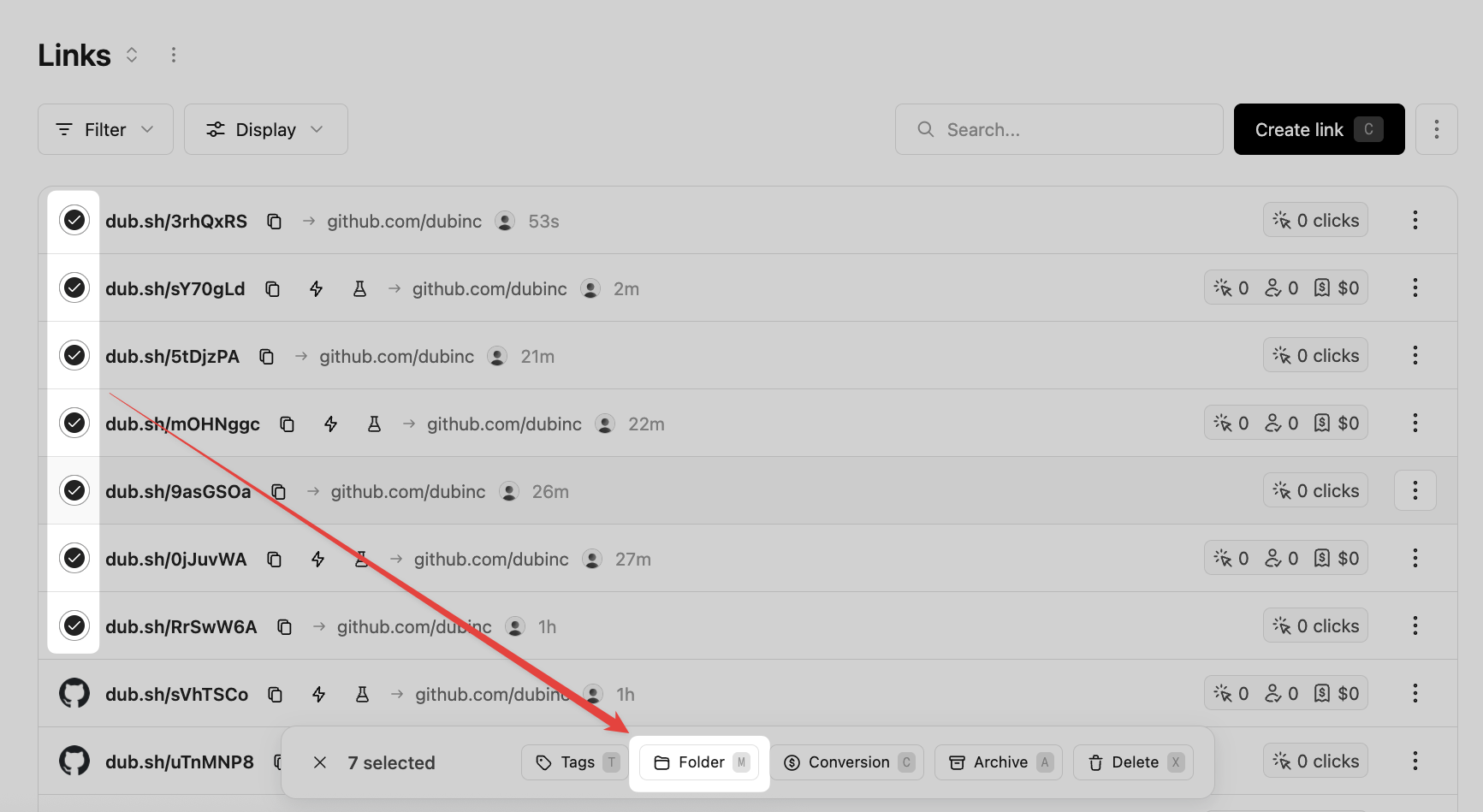
 Last but not least, you can use [bulk link actions](/help/article/bulk-link-actions) to move multiple links to a folder at once:
 ## Setting a default folder
Once you've created a few folders, you can choose one to show up by default when you open your links dashboard.
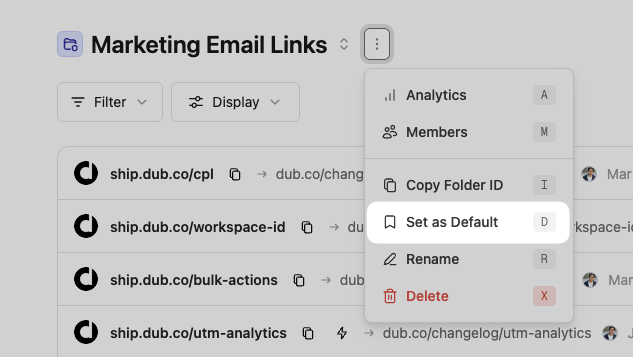
To do that, open the `⋮` dropdown next to the folder in your links dashboard and select the "Set as Default" option:
## Setting a default folder
Once you've created a few folders, you can choose one to show up by default when you open your links dashboard.
To do that, open the `⋮` dropdown next to the folder in your links dashboard and select the "Set as Default" option:
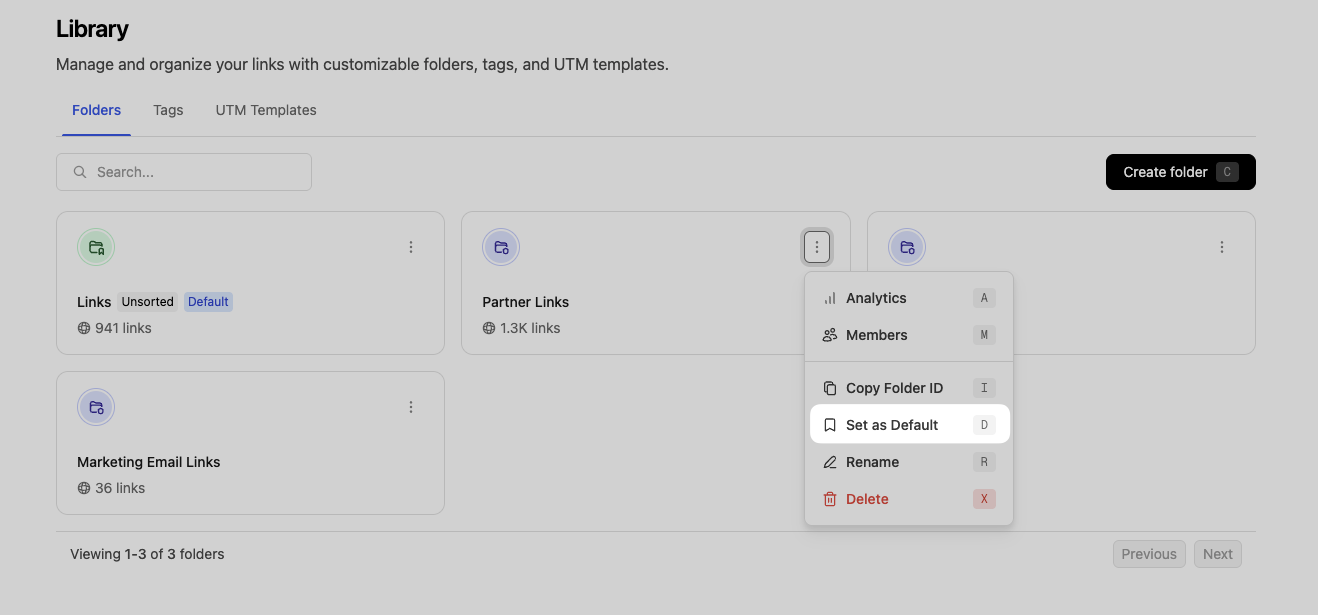
 You can also do this inside your [folder library](http://app.dub.co/settings/library/folders):
 ## How many folders can I create?
The number of folders you can create depends on your plan:
* **Pro plan**: Up to 3 folders
* **Business plan**: Up to 20 folders
* **Advanced plan**: Up to 50 folders
* **Enterprise plan**: Unlimited folders
Check out our [pricing page](https://dub.co/pricing) for more information on our plans.
## Managing folders programmatically
You can also manage folders programmatically using the [Dub API](/docs/api-reference/introduction).
Here are a few things you can do with the API:
* [Create a folder](/docs/api-reference/endpoint/create-a-folder)
* [Update a folder](/docs/api-reference/endpoint/update-a-folder)
* [Delete a folder](/docs/api-reference/endpoint/delete-a-folder)
* [Retrieve a list of folders](/docs/api-reference/endpoint/retrieve-a-list-of-folders)
## How many folders can I create?
The number of folders you can create depends on your plan:
* **Pro plan**: Up to 3 folders
* **Business plan**: Up to 20 folders
* **Advanced plan**: Up to 50 folders
* **Enterprise plan**: Unlimited folders
Check out our [pricing page](https://dub.co/pricing) for more information on our plans.
## Managing folders programmatically
You can also manage folders programmatically using the [Dub API](/docs/api-reference/introduction).
Here are a few things you can do with the API:
* [Create a folder](/docs/api-reference/endpoint/create-a-folder)
* [Update a folder](/docs/api-reference/endpoint/update-a-folder)
* [Delete a folder](/docs/api-reference/endpoint/delete-a-folder)
* [Retrieve a list of folders](/docs/api-reference/endpoint/retrieve-a-list-of-folders)